

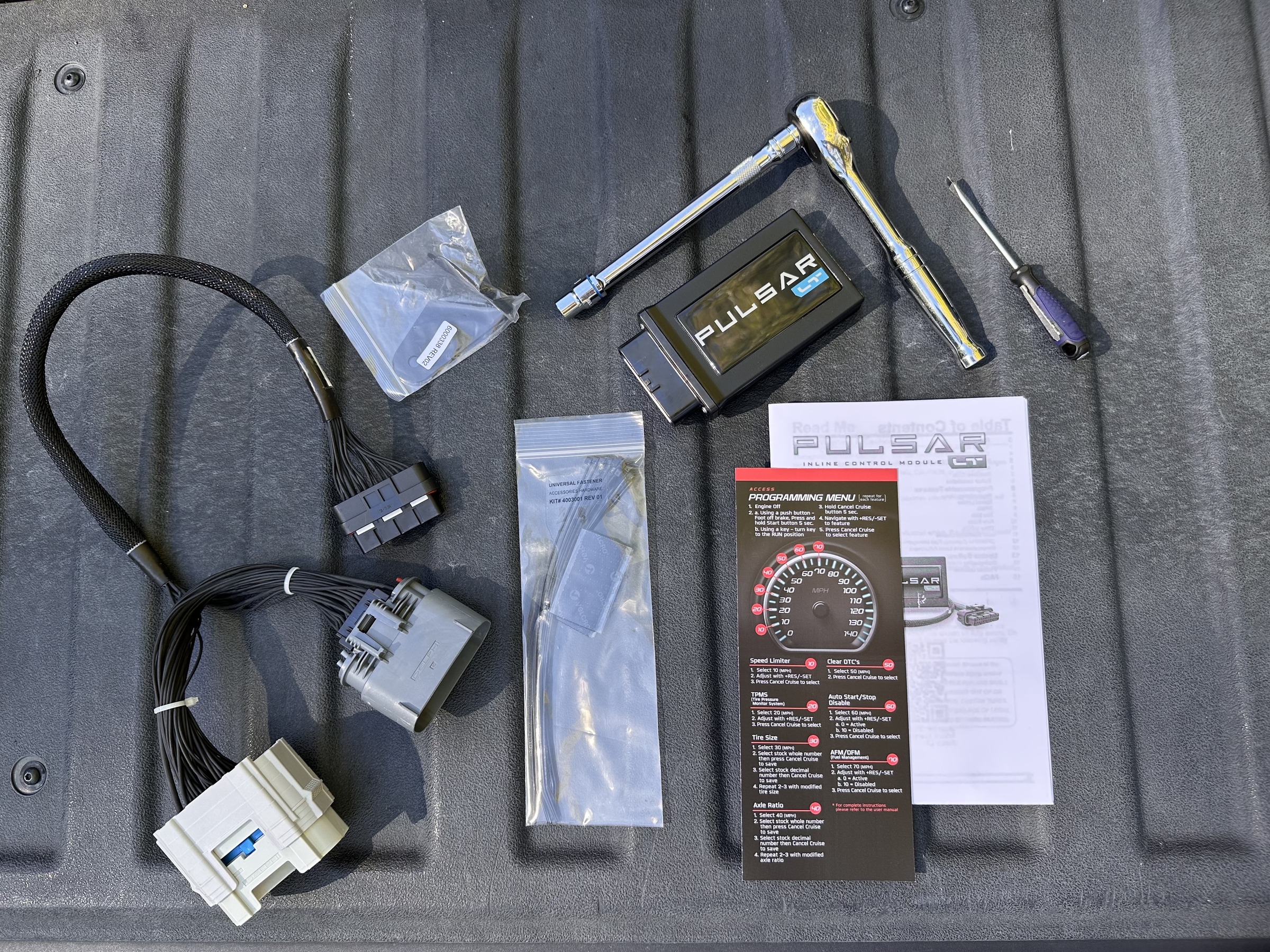
As an old school hot rodder, I find the ease of modification of modern vehicles both refreshing and fascinating. Making power is easier, applying that power is easier, and making slight adjustments to the vehicle’s behavior has become much easier. That’s where Edge Products’ awesome Pulsar LT module comes into play. Easy to install and easy to use, the Pulsar LT was created to perfect the performance of your GM LT V8.
Edge Products was founded way back in the late 1900s (funny, right?) with a major focus on improving the performance of diesel trucks. Over the years, the company has also rolled out industry-leading aftermarket performance applications for a wide variety of gasoline trucks and SUVs. Presently, Edge produces performance modules, programmers, gauges, cold-air intakes, exhaust systems, and more for all major vehicle manufacturers under the following brands: Juice, Attitude, Evolution, Insight, Jammer, Amp’d, Pulsar, EZ, and Comp.
Plug-And-Play Pulsar LT
Available for 2014-2026 GM gas and diesel applications, the Pulsar LT is an in-line module that allows users greater control over several of their truck’s key systems. With the module, owners can adjust their speed limiter, adjust TPMS settings, adjust throttle response levels, clear DTCs, account for aftermarket tire and axle specs, and disable Dynamic Fuel Management and factory Start/Stop technology. Every function is executed through the truck’s steering wheel controls. And since the Pulsar LT is an in-line, plug-and-play solution that requires no PCM modification, it preserves the vehicle’s factory warranty.
That’s really the best part: this module allows you to take a good running truck and perfect certain characteristics of it without making major modifications. It’s also a cool $649.95 as opposed to the stacks of cash you’d spend on things that achieve similar results, like a throttle booster, tire calibration, and a custom tune.
Installation Is Easy
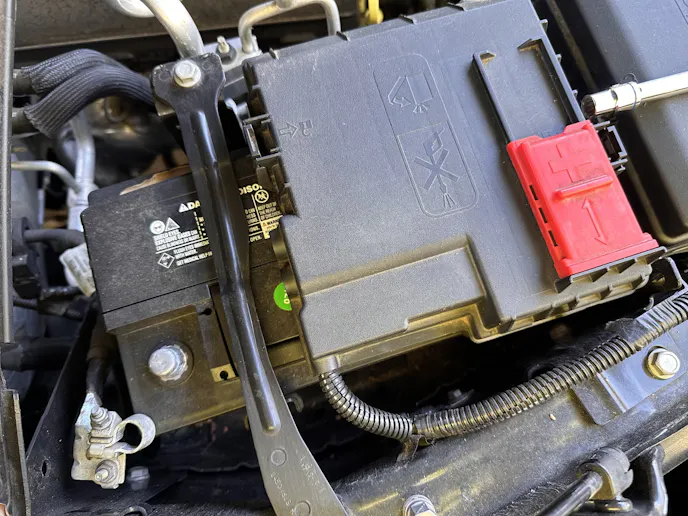
The install on my 2021 Silverado Trail Boss took two straight screwdrivers, a ratchet with an extension and a 10 mm socket, and about ten minutes. The first step is, or should be, the first step in virtually any install: disconnecting the truck’s negative battery cable. Fortunately, that’s still pretty straightforward on the latest Silverado. All you have to do is loosen the 10 mm nut on the battery cable, as opposed to the tedium of pulling the plugs and panel like you have to do during a battery swap.
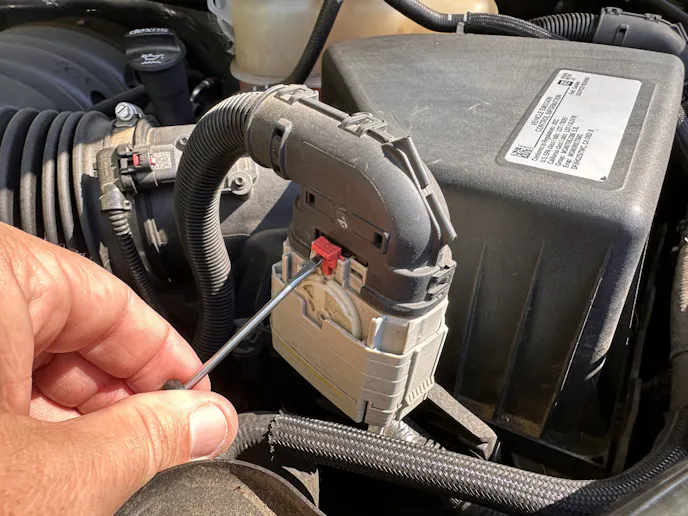
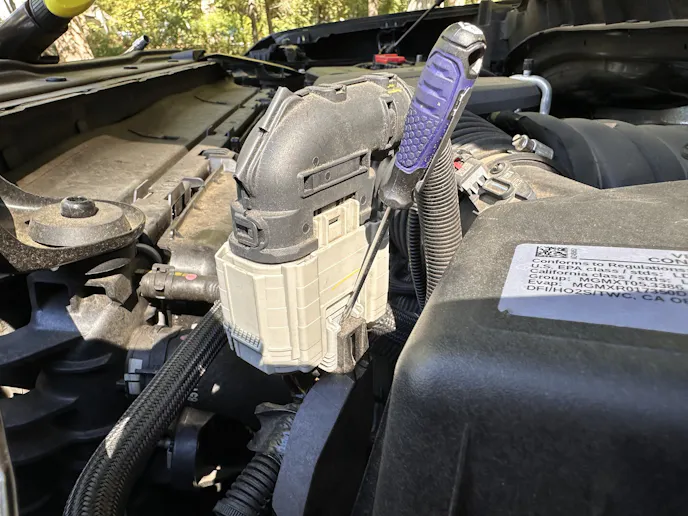
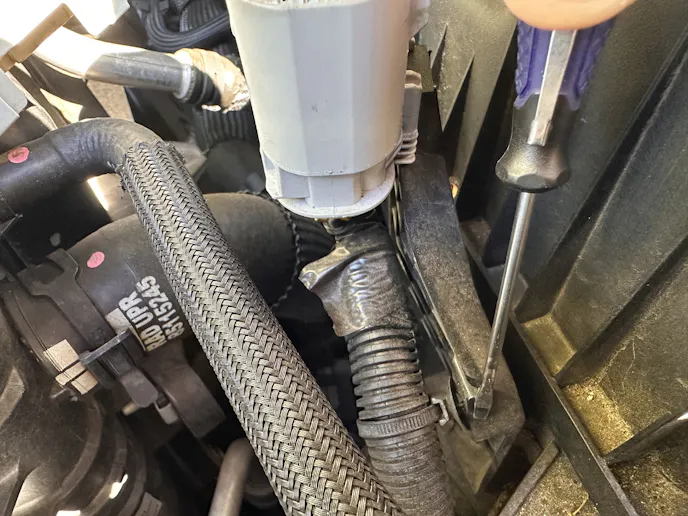
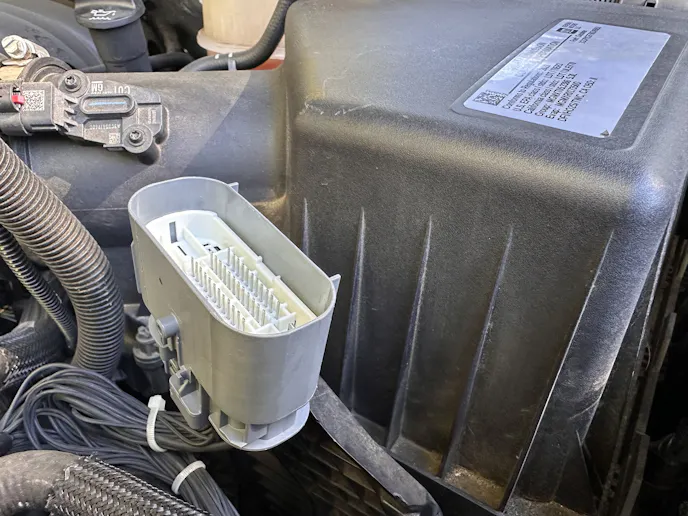
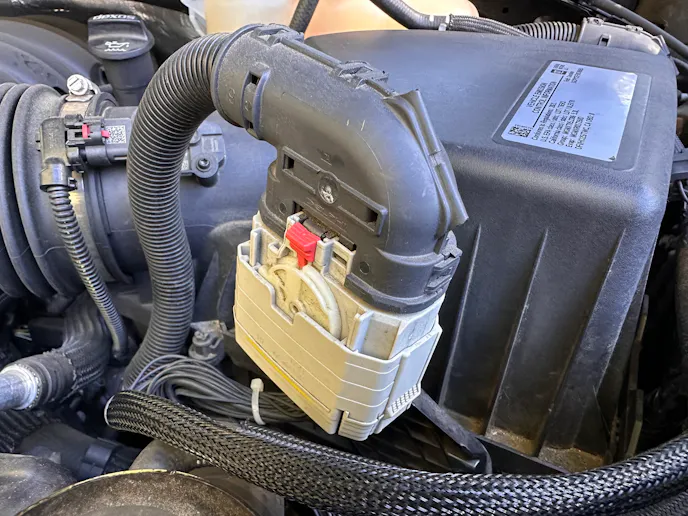
For step two, we move to the other side of the engine bay to the Main Harness Plug. This is where a small straight screwdriver will come in handy, since you’ll need to push the pin to unlock the plug at the front. With the plug unlocked, the next steps are to decouple the plug by pushing the clip at the rear and then prying out the plastic rivet that keeps the bottom wires secured to the air box bracket. However, since I have large hands, I found it easier to just go ahead and disengage the tab that keeps the bottom part of the plug on its bracket. This freed up the whole assembly and gave me more room to concentrate on decoupling the plug without breaking the aging plastic tabs.
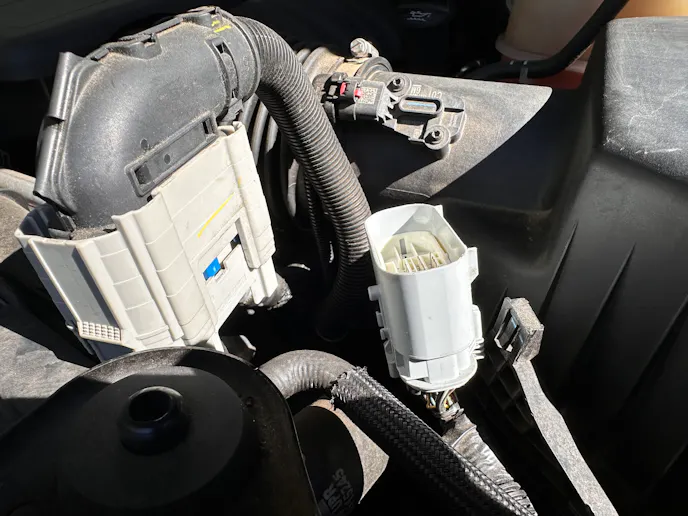
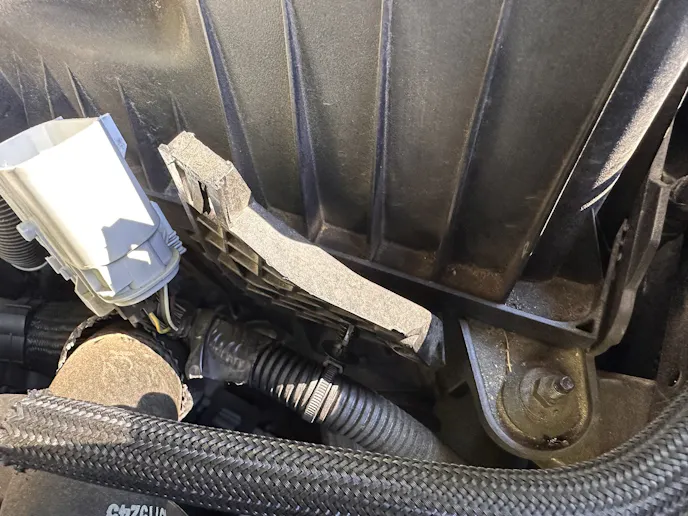
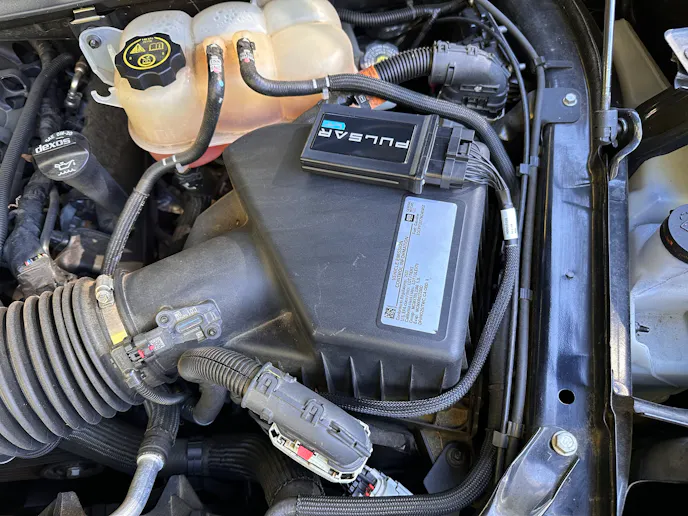
Essentially, you’re installing extra wiring, complete with a plug for the Pulsar LT module, between the male and female ends of the Main Harness Plug. Naturally, the extra connection needs a place to live, so the kit comes with a nice little bracket that attaches to the truck’s air box; which brings us to the next step. Using the same ratchet and 10 mm socket we used for the battery, we can remove the nut on the corner of the air box and layer the included bracket under said nut.
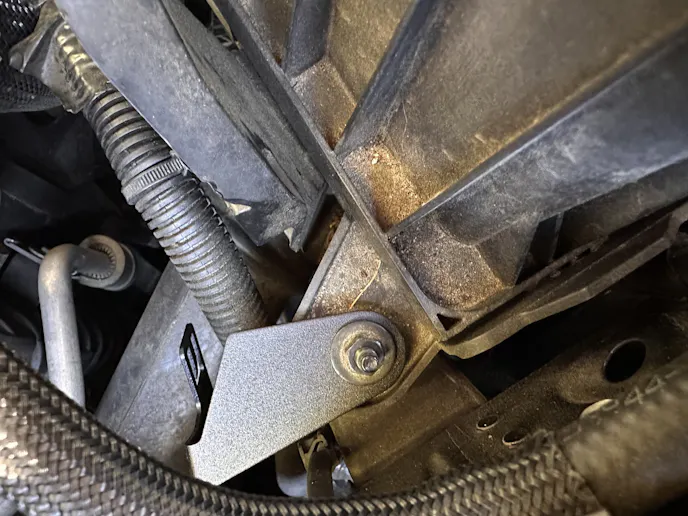
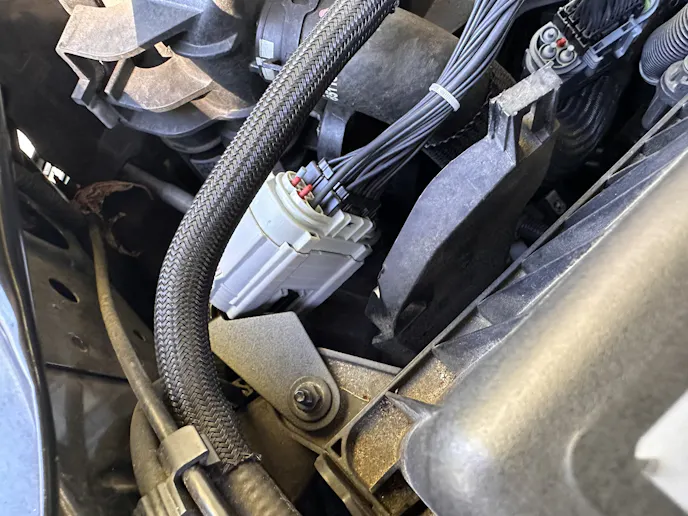
It’s a good idea to leave the bracket a bit loose, as you’ll probably want to clock it into the best position to keep the wires from contacting sharp metal surfaces and the truck’s upper radiator hose. Edge also includes a few wire ties, which I used to tighten up the Pulsar harness even more. Not saying this is a crucial step by any means; I’m just shell-shocked from being a ‘backyard engineer’ who’s fried and frayed my fair share of wires on hot rods.
From there, we plug in the module, plug the Edge wiring into the male and female ends of the truck’s Main Harness Plug, and clip the two connections onto both the Edge bracket and the Main Harness bracket. Edge provides just enough extra wire to position the module, via pieces of included Velcro, to the top of the air box. With everything clean and orderly, I tightened down the nut on the air box and reinstalled the negative battery cable.
Time To Play!
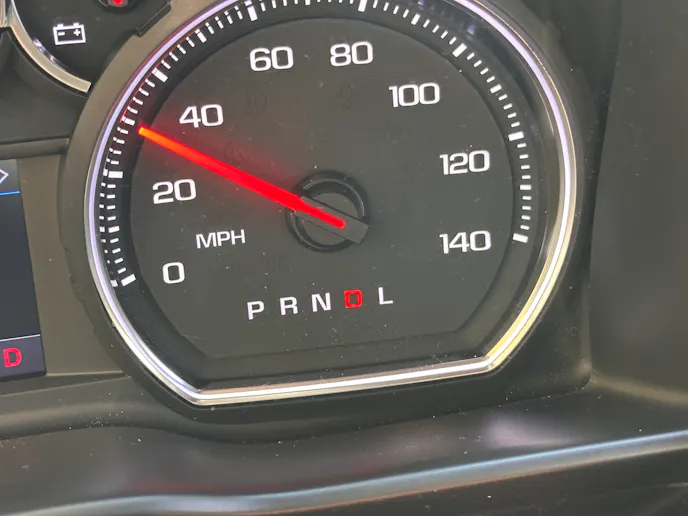
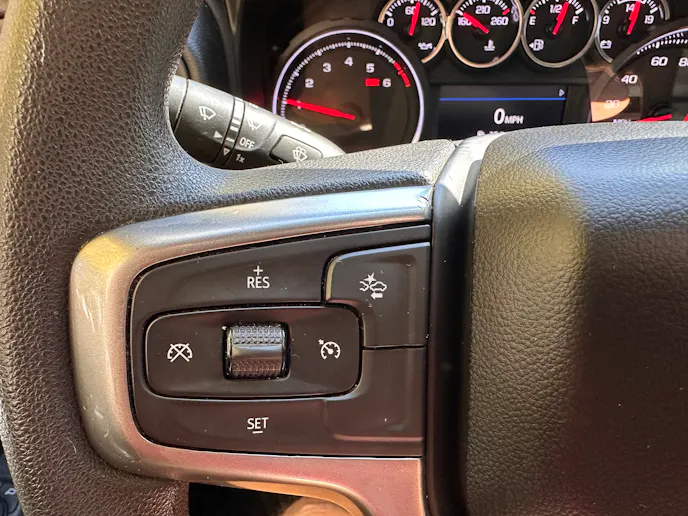
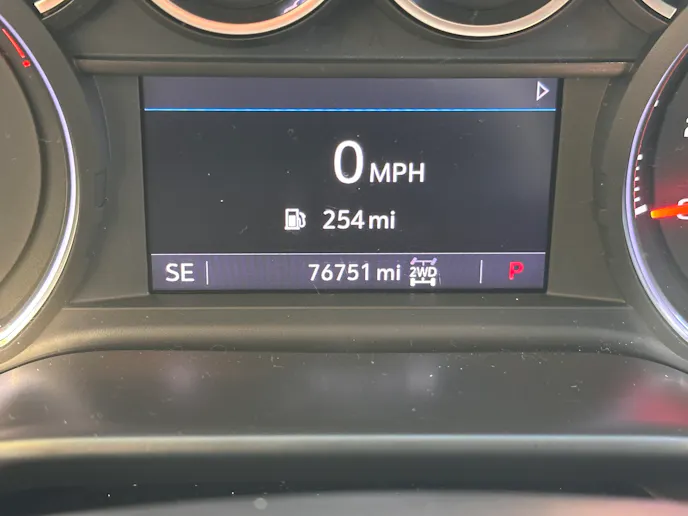
Seven of the module’s eight modes can be accessed while the truck is parked. With the cruise control turned off, which has to be done while the truck is running, put the vehicle in accessory mode. From there, you can toggle through the Pulsar’s settings with the set and resume buttons. All commands and saves are translated through the truck’s speedometer, with different adjustments correlating to different speeds.
In plainer terms:
- 10 MPH is speed limiter adjustment
- 20 MPH is TPMS adjustment
- 30 MPH is tire size correction
- 40 MPH is axle ratio correction
- 50 MPH clears DTCs
- 60 MPH disables or engages auto start/stop
- 70 MPH disables or engages Dynamic or Active Fuel Management
Once you’re inside one of the seven options, different speeds denote the setting. After the desired setting is selected, the cruise cancel button saves the setting. The saved setting is then indicated by the speedometer sweeping from 0 to 140. For example, to set your truck’s speed limiter to 100 MPH, enter the 10 MPH option, toggle the speedometer up to 100 MPH, and then hit the cruise cancel button. The speedometer will then sweep from 0 to 140 to indicate the saved setting.
The Biggest Selling Points: Disabling Fuel Management And Start/Stop
With the Pulsar LT, you can either disable start/stop or disable the truck’s fuel management technology, which automatically disables start/stop. The process is really quite simple: put the truck in accessory mode, toggle to 70 MPH (the AFM/DFM option) using the set and resume buttons. Once the speedometer settles, use the set and resume buttons to toggle between 10 MPH, which means the system is disabled, and 0 MPH, which means the system is enabled. Once the desired setting is chosen, hit the cruise cancel button and watch for the speedometer to sweep from 0-140, indicating the function is complete.
All About Tires
As some of you might remember, I strapped a sweet set of Toyo Tires on this truck earlier this year. I’ve been estimating my speed ever since, knowing that the larger tires made the speedometer a bit inaccurate. The Pulsar LT provides an easy fix for this common problem.
In accessory mode, toggle to 30 MPH (tire size correction). Next, enter the stock tire number by toggling to the tire size in inches, with whole numbers first and decimals second. For example, a 33.5-inch tire would be entered as 35 and 5. Hit the cancel button to save the values. Then enter the modified tire size in the same manner and hit the cancel button to save. So far, the Pulsar module has been spot-on compensating for my bigger tires according to the mobile GPS speedometer I use for my old cars.
Adjusting the TPMS is similar to this process, with set and rest allowing values between 25 PSI and 99 PSI – something that is especially helpful for towing, rock crawling or just running bigger, more heavy-duty treads.
Codes And Ratios
Clearing a DTC is as simple as selecting mode 50 and hitting cruise cancel to reset, but adjusting the axle ratio is a bit more involved.
Begin by selecting mode 40. Then enter the stock ratio by toggling to the whole number, followed by the decimal. For example, a 3:73 axles ratio would be entered as 3 MPH and 73 MPH. After hitting the cancel button to record the data, just enter the new axle ratio in the same manner and hit cancel again.
Speed Limiter And Throttle Response
Accessing the speed limiter is as easy as selecting 10 MPH in the first menu. The speed limiter can be set anywhere from 82 MPH to ‘full send’ 140 MPH. But when it comes to speed, the Pulsar LT’s coolest feature is the ability to adjust the truck’s throttle responsiveness.
My Silverado has many awesome traits but, since it’s a 5.3-liter with the six-speed auto and upsized tires, athleticism is not one of them. My previous truck was a twin-turbo, 10-speed. So, while the five-three and six-speed are probably more durable, I am missing out on some around-town fun. The Pulsar LT interested me because I figured, rightfully so, that adjusting my throttle responsiveness might compensate for my truck’s, for lack of better words, lovably lazy transmission.
Throttle responsiveness is the only function that’s performed while the truck is running, and for good reason since that allows the driver to actively adjust response on the fly. There are six levels ranging from factory, and 15% decreased responsiveness all the way up to 65% increased responsiveness. As you might guess, adjustments are simple: turn the vehicle on, turn the cruise control off, then use the set and resume buttons to toggle through the levels. To recall your responsiveness level, just hit the cruise cancel button, with cruise control off, and it will be indicated by the MPH that’s correlated to the responsiveness level.
After spending some time with the Pulsar LT, I can confidently say it’s an easy and worthwhile upgrade. The installation took all of ten minutes, the adjustments are straightforward, and the ability to fine-tune everything from throttle response to tire size without touching the factory PCM is pretty slick. As an old-school hot rodder, I still love getting my hands dirty, but there’s definitely something to be said for making your truck more enjoyable with a few clicks of the cruise control buttons.
You might also like
This 1990 Chevy 3500 Gets A 4WD Swap And Gains An LB7 Duramax
This 1990 Chevy 3500 wears decades of patina, but has been upgraded with 4WD and a Duramax turbodiesel engine.